
Build automation. Just like that. Maeris handles UI, APIs, Security, and Performance.
What Maeris MCP can do
Up and running in minutes.
One install connects Maeris to your editor. From there, just tell it what to test — it handles the rest.
- Install: pip install maeris
- Initialize in your project: maeris app init
- Restart your editor to load the MCP connection
- Ask Maeris to generate tests, scan APIs, or check security
- Optionally sign in to sync results with your team: maeris auth login
"The worst part of testing is switching your brain between 'thinking like a user' and 'thinking like a coder.' Maeris lets me stay in the user mindset. I just describe the journey I want them to take, and the tool worries about the implementation details."
— Anupam Bansal, KafeKuke
Why teams switch
Less setup.
More confidence.
From zero to running tests
Install Maeris, describe a flow in plain language, and watch it generate and run tests — no scripts, no config files, no boilerplate.
Regression catch rate
Every critical user path verified on every deploy. Bugs caught before users ever see them.
Lines of test code
No Playwright scripts to write or maintain. Maeris generates everything from your actual source.
UI, API, and security — unified
Every test type, every result, every report in a single dashboard. Your whole team sees the same picture.
Fits into your workflow
Connect with the tools your team already uses
Jira
Auto-create issues on failures
Slack
Instant test result alerts
CI/CD
Run on every commit
How it works
From install to automated test in minutes.
Record flows with our Chrome extension, and Maeris turns them into automated UI, API, and security tests — ready to run on every deploy.
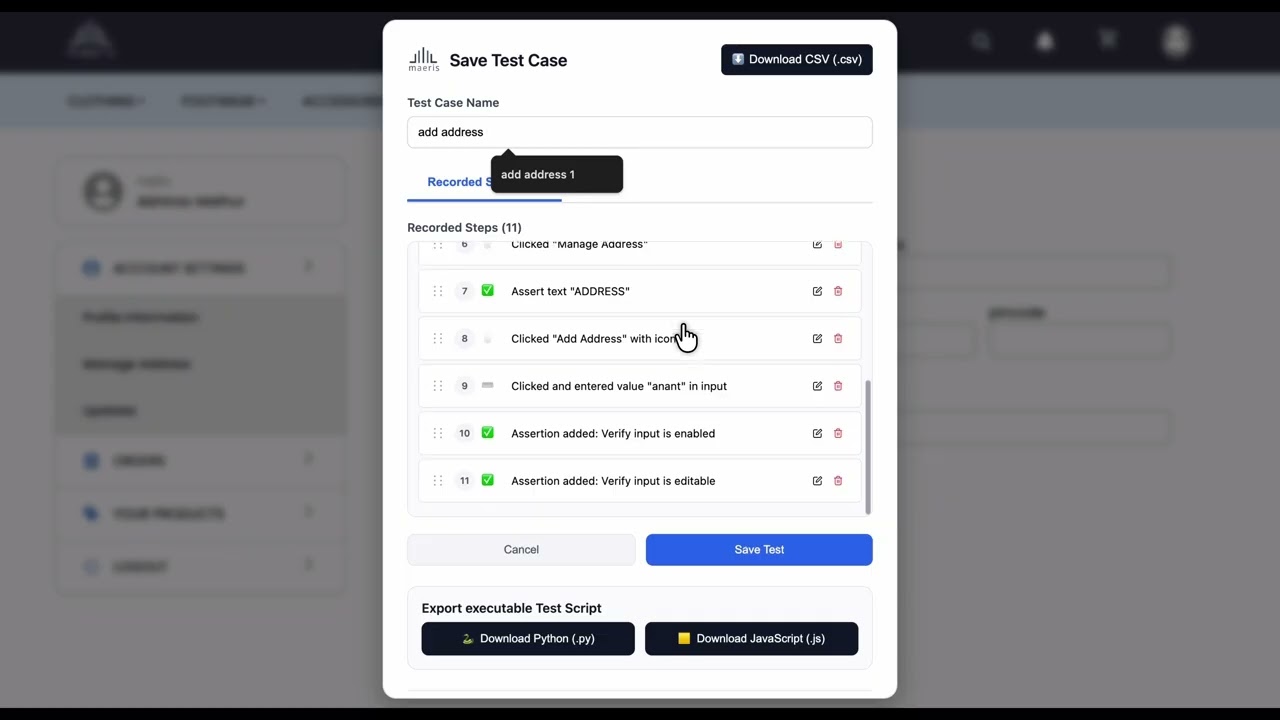
Record any user flow directly in your browser and turn it into a repeatable automated test — no code, no setup.
Step 1 of 3
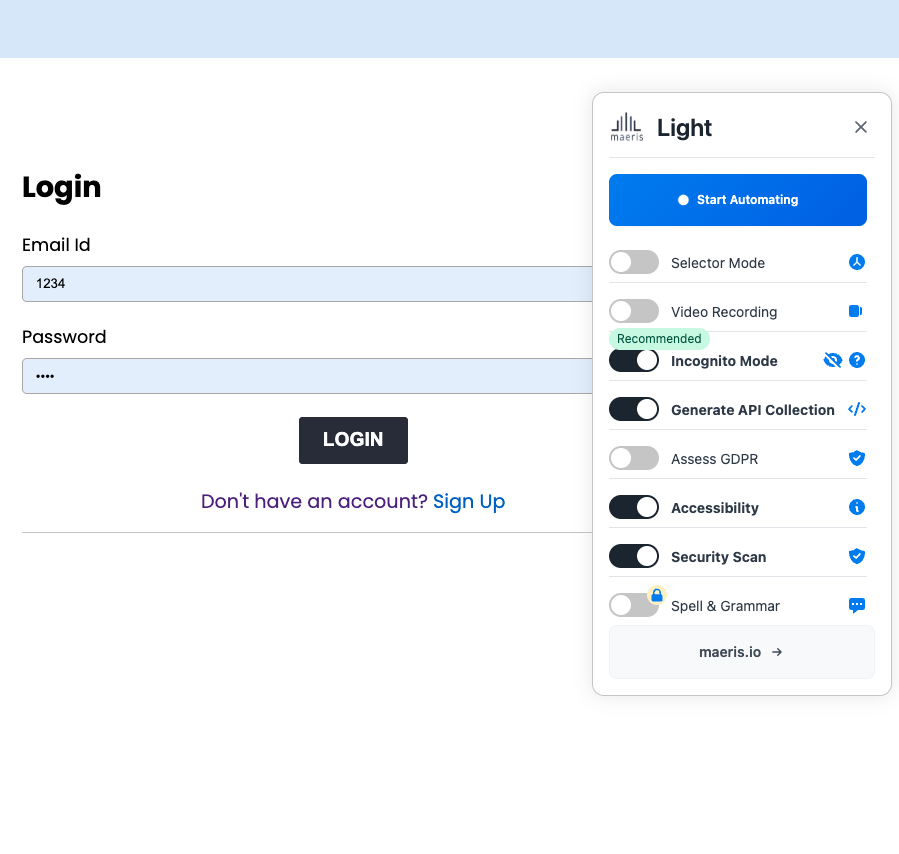
Open & configure
Launch the Maeris Chrome extension and choose what you want to test — UI flows, API calls, GDPR, accessibility, or security. One click to start.
- Generate API collections automatically
- GDPR & accessibility scans built in
- Security scan runs alongside recording
- Incognito mode for clean sessions
Built for your whole team
QA Engineers
Tired of brittle tests that break every week?
Focus on edge cases while Maeris handles the repetitive flows. Create robust test suites in minutes — not hours.
Developers
You shouldn't have to learn another test framework.
Write tests in plain English or just record flows — Maeris integrates into your dev workflow, no disruption.
Product Teams
No-code shouldn't mean no control.
Build and manage tests visually, track quality metrics, and ensure features go live without surprise bugs.
CTOs
Testing shouldn't bottleneck your velocity.
Maeris reduces flaky test debt, accelerates release cycles, and gives your team full visibility into quality. Built for scale.
Testing tools comparison
How Maeris differs from code-based testing frameworks like Selenium, Cypress, and Playwright
Testing shouldn't slow you down
Brittle tests. Constant maintenance. Release delays. Sound familiar?
Common testing challenges
The Maeris difference
Flaky and unreliable tests
Tests break randomly, creating false positives and eroding team confidence in automation.
Describe tests in plain English
Write what you want to test — in plain language. No code. No syntax
Complex test maintenance
Every UI change requires updating brittle selectors and rewriting test logic.
Fast Test Recording
Use our Chrome extension to record real user flows. See your actions turn into structured test cases automatically — as you click.
Slow test creation
Writing comprehensive tests requires deep technical knowledge and significant time investment.
One place for all your tests
All your test cases in one place — easy to view, edit, organize, and track. With Smart scheduling and parallel execution
QA bottlenecks
Manual testing processes create delays and limit release velocity.
Anyone on your team can contribute
Get started in under 2 minutes. Enable your entire team—developers, PMs, and QA—to contribute to test coverage.
Common testing challenges
Flaky and unreliable tests
Tests break randomly, creating false positives and eroding team confidence in automation.
Complex test maintenance
Every UI change requires updating brittle selectors and rewriting test logic.
Slow test creation
Writing comprehensive tests requires deep technical knowledge and significant time investment.
QA bottlenecks
Manual testing processes create delays and limit release velocity.
The Maeris difference
Describe tests in plain English
Write what you want to test — in plain language. No code. No syntax
Fast Test Recording
Use our Chrome extension to record real user flows. See your actions turn into structured test cases automatically — as you click.
One place for all your tests
All your test cases in one place — easy to view, edit, organize, and track. With Smart scheduling and parallel execution
Anyone on your team can contribute
Get started in under 2 minutes. Enable your entire team—developers, PMs, and QA—to contribute to test coverage.